
What Makes Business Application Data Truly Copilot-Ready?
- 6 days ago
- 5 min read
Updated: 1 day ago
Page 4 of 5
Part of our Microsoft 365 Business Applications series.
Introduction
As organisations adopt Copilot and AI agents across Microsoft 365, a common assumption often emerges:
If the data exists, AI will be able to use it.
In reality, this isn't quite true.
AI does not become useful simply because information exists somewhere within the organisation.
Its usefulness depends heavily on how information is structured, governed and connected.
This is particularly important for operational data held within business applications.
Whether you're managing customers, projects, employees, cases, approvals or service requests, the quality of AI outcomes depends less on the amount of information available and more on the quality of the relationships between it.
This article explores what makes business application data genuinely Copilot-ready—and why many organisations discover that AI exposes weaknesses in their data architecture long before it delivers business value.
Copilot Works on Context, Not Just Content
Copilot is often described as an intelligent assistant.
In practice, however, it is best understood as a reasoning engine.
It works by understanding:
Relationships
Ownership
Permissions
Metadata
Business context
Connections between records
This means Copilot does not simply retrieve information.
It attempts to understand how different pieces of information relate to one another.
The better those relationships are defined, the more useful the results become.
Why Operational Data Matters
Most discussions about Copilot focus on:
Documents
Emails
Meetings
Conversations
These are important.
But operational business applications often contain the information organisations care about most.
Examples include:
Customers
Opportunities
Projects
Cases
Employees
Assets
Requests
Approvals
Compliance records
This information provides the structure around which business decisions are made.
Without it, AI can summarise activity.
With it, AI can understand context.
Why AI Often Struggles With Business Data
Many organisations already have plenty of information.
Yet AI often produces disappointing results.
The reason is usually architectural rather than technological.
Three common issues repeatedly appear.
Data Is Spread Across Too Many Systems
One system knows about customers.
Another knows about projects.
Another knows about support requests.
Documents are somewhere else.
Conversations happen somewhere else again.
Humans can often piece these fragments together.
AI finds it much harder.
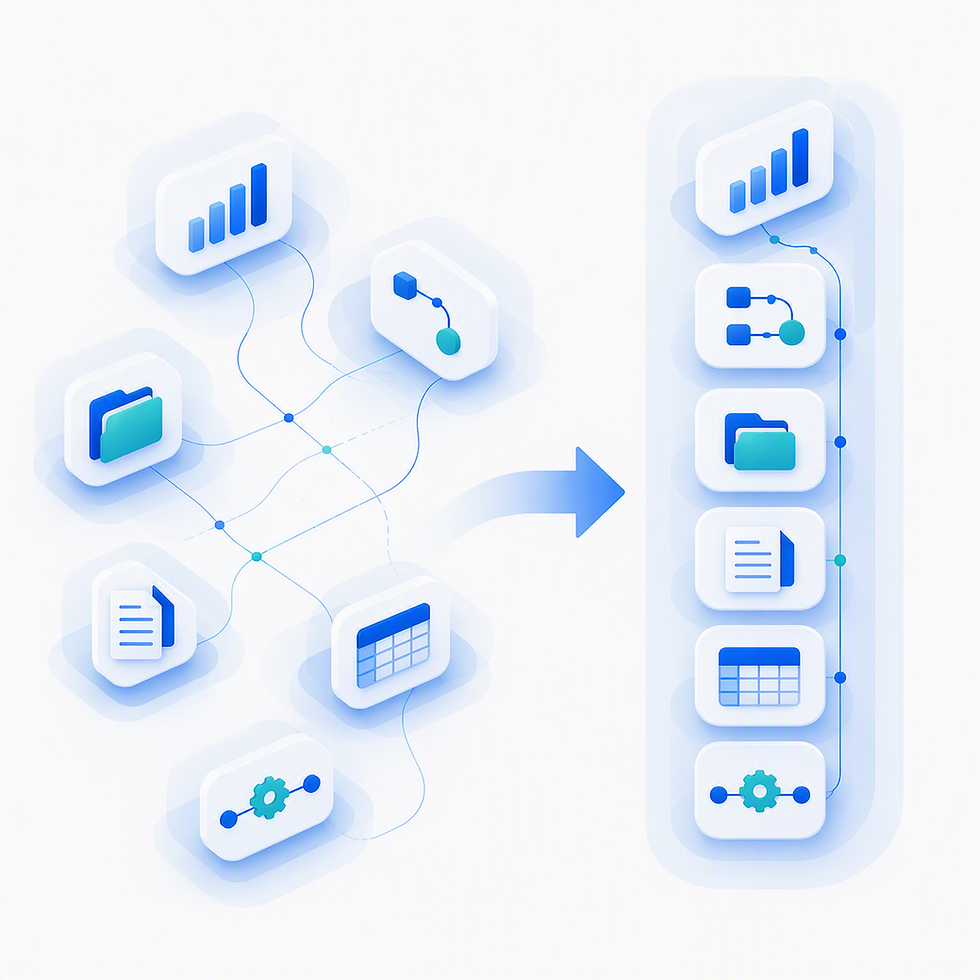
When business information is fragmented, Copilot sees isolated records rather than a connected business process.
The result is often:
Partial answers
Missing context
Reduced confidence
Generic recommendations
AI can only reason across what it can see.
Relationships Are Implied Rather Than Explicit
Many organisations rely on convention.
For example:
Naming standards
Folder structures
Subject lines
Spreadsheet tabs
Team knowledge
These approaches work surprisingly well for humans.
Unfortunately, they create weak signals for AI.
For example:
A project may be related to:
A customer
Several documents
Multiple meetings
Internal approvals
Service requests
If those relationships are implied rather than modelled, AI must guess.
Good business applications reduce the amount of guessing required.
Permissions Are Inconsistent
Copilot fully respects Microsoft 365 permissions.
This is a strength.
It also means that security design directly affects AI usefulness.
When business information spans multiple systems with:
Different access models
Duplicated permissions
Synchronised accounts
AI sees a fragmented landscape.
Some information becomes inaccessible.
Other information becomes difficult to interpret reliably.
The result is often cautious or incomplete responses.
What Copilot-Ready Data Looks Like
Business application data becomes Copilot-ready when the system provides:
Clear Business Entities
Examples include:
Customer
Project
Case
Employee
Asset
Request
These become first-class objects within the platform.
This is one reason Power Apps development has become an important part of many organisations' AI readiness strategy.
Explicit Relationships
The system clearly understands how records connect.
For example:
Customer → Opportunity → Project → Case
Employee → Team → Training → Performance Review
Request → Approval → Outcome
These relationships provide AI with context rather than isolated facts.
Consistent Metadata
Metadata is often overlooked.
Yet it is one of the most important ingredients of useful AI.
Examples include:
Status
Owner
Priority
Department
Business area
Lifecycle stage
Sensitivity
Metadata gives AI meaningful signals to reason over.
Reliable Permissions
Business applications should inherit security from Microsoft 365 wherever possible.
This creates:
Consistent access boundaries
Predictable visibility
Simplified governance
AI becomes safer because security remains aligned across the platform.
Why Microsoft-Native Applications Have an Advantage
When business applications are built directly inside Microsoft 365:
Data remains within the tenant
SharePoint acts as the system of record
Permissions inherit naturally
Microsoft 365 identities remain central
Governance is consistent
This creates an environment where relationships between information remain visible and durable over time.
From an AI perspective, this is significant.
The challenge becomes understanding information rather than locating it.
Well-structured SharePoint application development creates the explicit relationships, metadata and governance that Copilot relies upon.
Why AI Agents Raise the Bar Further
Copilot primarily helps people find and understand information.
AI agents take the next step.
They help move work forward.
For example:
Instead of answering:
Which projects are overdue?
An AI agent might:
Identify the project
Determine likely causes
Draft a status update
Schedule a review meeting
Create follow-up tasks
To do this safely, the agent needs:
Structured data
Reliable relationships
Clear permissions
Business context
Poorly structured systems make this difficult.
Well-designed business applications make it possible.
AI Magnifies Existing Design Decisions
One of the most important lessons organisations are learning is:
AI does not fix bad business systems.
It exposes them.
If data is:
Scattered
Inconsistent
Poorly governed
Weakly connected
AI simply reflects those weaknesses back to users.
Conversely, when business applications are:
Structured
Connected
Governed
Consistent
AI becomes genuinely valuable.
The difference isn't intelligence.
It's architecture.
Preparing for Copilot Starts Earlier Than Most Organisations Think
Many organisations approach Copilot readiness by focusing on:
Licensing
Training
Use cases
These are all important.
However, the foundations are often established much earlier.
The structure of business applications directly influences:
Data quality
Governance
Reporting
AI usefulness
Copilot readiness is therefore not simply an AI project.
It is an architecture decision.
A Better Question to Ask
Instead of asking:
Does Copilot work with this application?
A more useful question is:
What does this application allow Copilot to understand about our business?
The answer determines whether AI becomes:
A useful assistant
A source of confusion
Or a genuinely transformative capability
See How This Works in Practice
If these ideas resonate, our Microsoft 365 consultancy, Power Apps development and SharePoint application development services help organisations design business applications that support not only today's processes, but tomorrow's AI capabilities.
Using SharePoint, Power Apps, Power Automate and Microsoft 365, we help organisations build structured, governed and connected operational solutions that give both people and AI the context they need to work effectively.
Because AI readiness is ultimately a data and architecture decision—not just a technology decision.
Related Service
AI & Copilot
Learn how structured, governed data supports Copilot and future AI initiatives.
Related Pages in This Series
This article is part of the Microsoft-Native Business Applications series:
What Makes Business Application Data Truly Copilot-Ready?
Governance Without Slowing People Down
This article is part of the Microsoft 365 Business Applications series.
Prefer a visual overview?
Read the SME Guide to Microsoft 365 Business Applications
A free PDF guide covering the same concepts through practical examples, visual models and business-focused guidance.


Comments